Install Certbot on EC2 instances running AL2023 (Amazon Linux 2023), use it to request and install Let’s Encrypt SSL/TLS certificate on either Apache or Nginx web server, with automated renewal
Certbot is a tool to obtain SSL/TLS certificates from Let’s Encrypt and (optionally) auto-enable HTTPS on your server.
Requirements
Ensure that you have
- a FQDN (fully qualified domain name) whose DNS entry resolves to your EC2 instance public internet IP address.
- If you do not have a domain, you can register a new domain using Amazon Route 53 and create a DNS A record.
- To prevent EC2 public IPv4 address from changing, you can associate an Elastic IP address
- security group attached to your EC2 instance that allows inbound
HTTPandHTTPSfrom internet.
Install Certbot
sudo dnf install -y certbot python3-certbot-dns-route53 python3-certbot-apache python3-certbot-nginx
sudo systemctl daemon-reload
sudo systemctl enable --now certbot-renew.timer
Install and Configure Apache
sudo dnf install -y httpd mod_ssl
sudo tee /etc/httpd/conf.d/www.conf > /dev/null << EOF
<VirtualHost *:80>
  DocumentRoot /var/www/html
</VirtualHost>
EOF

sudo systemctl enable --now httpd
Certbot uses Apache Virtual Hosts to identify web sites and install certs.
Request and install HTTPS cert
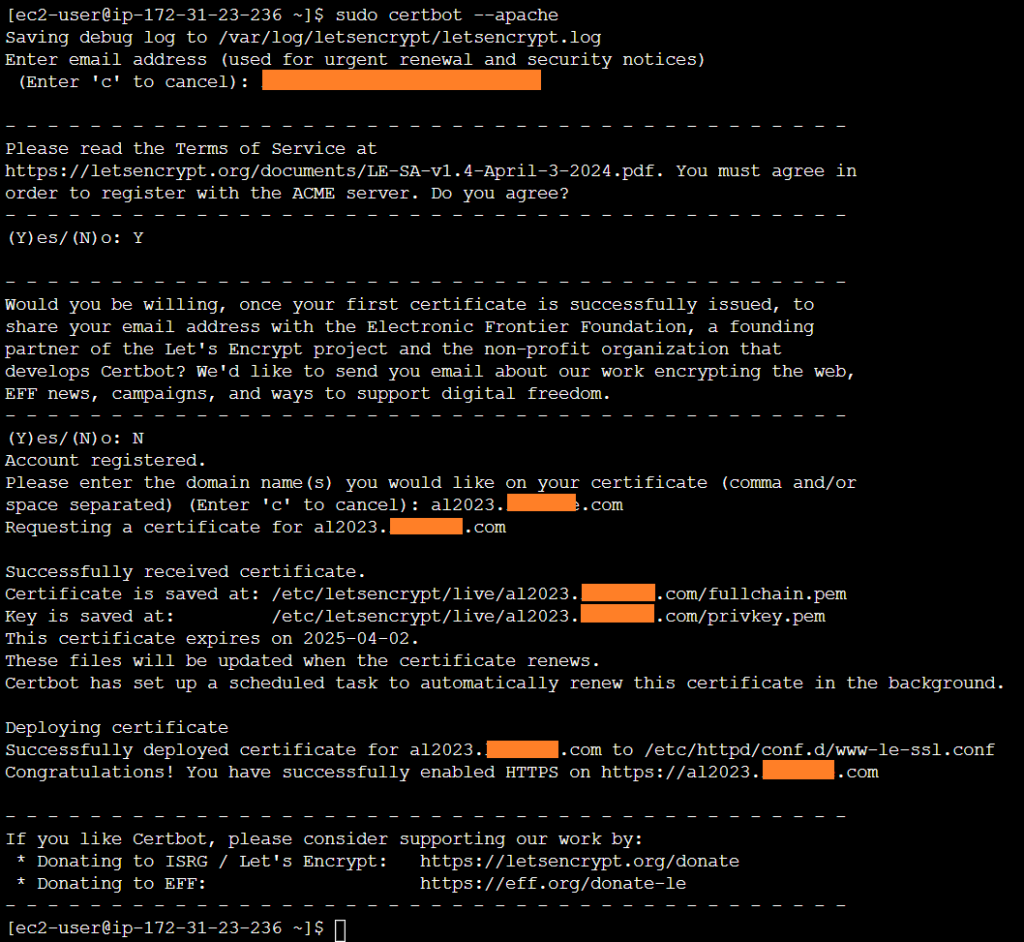
sudo certbot --apacheEnter valid email address, agree to Let’s Encrypt Terms of Service, optionally subscribe to EFF mailing list, input your FQDN, to have Certbot request and install HTTPS certificate on your Apache server.
Verify certificate
To display information about certificates you have from Certbot
sudo certbot certificates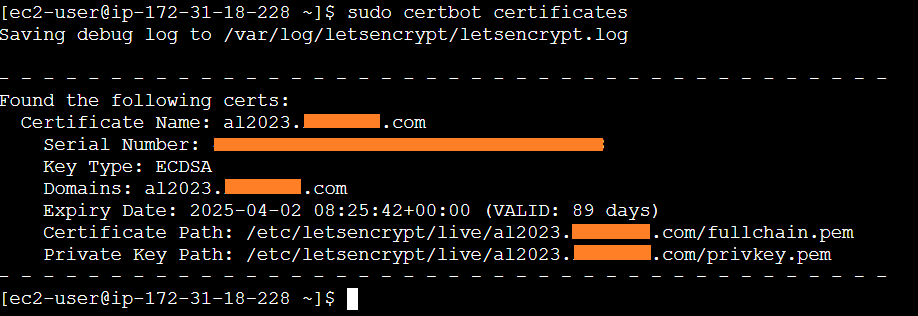
Automated Renewal
Certbot use certbot-renew systemd daily for automated renewal of any certificate 30 days before their expiry dates. To verify certbot-renew operation
journalctl -u certbot-renew -fMore information
Refer to Certbot User Guide